
Hello Dear readers welcome to Techvirus today we are going to discuss about Google Expands Android Theft Protection With New Security Features – Enhanced Anti-Theft Tools Explained. Due to Some privacy and protection google always take the first priority to security if u also want to know the expansion be with us till the end of the article.
Fortunately guys Google announced updates to Android’s theft protection on January 27, 2026, enhancing prevention, resistance, and recovery tools with AI-powered detection, stronger authentication, and improved remote controls.
Read more : How to Update Apps on iPhone: Step-by-Step Guide for Automatic & Manual Updates
Google Expands Android Theft Protection With New Security Features – Enhanced Anti-Theft Tools Explained
Google has announced a significant expansion of its Android theft protection features, aimed at making Android smartphones harder for thieves to break into and easier for owners to secure if lost or stolen. These updates build on existing anti-theft tools and introduce more user control, enhanced authentication safeguards, and smarter detection systems for devices running Android 16 and newer.
There are so many types of security concerns this time so Android has recently introduced several powerful updates to its Theft Protection suite, specifically targeting the risk of financial fraud and data theft.
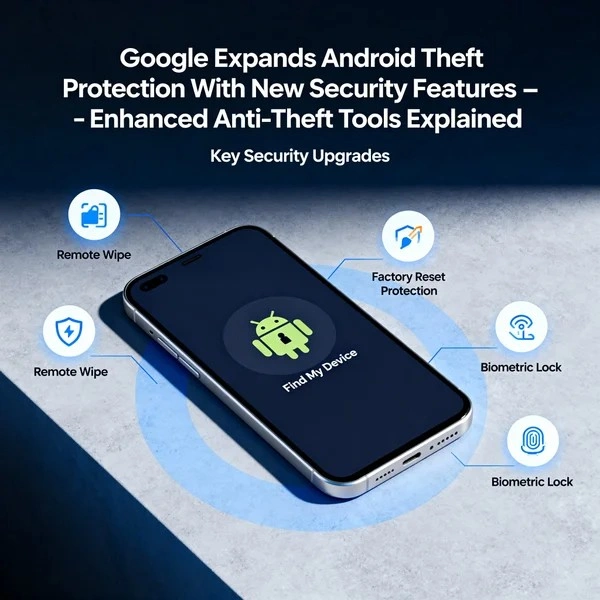
With smartphone theft still a concern worldwide, especially in crowded urban areas, the new protections reflect Google’s ongoing commitment to strengthen device security and help users protect their personal data.
What’s New in Android Theft Protection?
Google’s theft protection enhancements include several upgraded tools and options designed to safeguard users before, during, and after a device theft attempt. These improvements are rolling out with Android 16 and some features may reach older versions through Google Play Services.
So guys we are going to suggest you that enhanced authentication android 16+ there are more than four points which you have to consider very seriously to earn and get more directively this way so be with us till the end of the article.
Failed Authentication Lock Toggle: Previously an automatic background feature, you now have a dedicated toggle in settings to enable or disable this. It automatically freezes the screen after excessive failed attempts.
Smart Brute-Force Protection: To stop “guess-and-check” thieves, lockout times now increase significantly after failed PIN/pattern attempts.
Child-Proofing: Identical incorrect guesses (like a toddler tapping the same wrong number) no longer count toward the lockout limit.
Universal Identity Check: This feature now covers all apps that use the Android Biometric Prompt. Even if a thief knows your PIN, they won’t be able to open third-party banking apps or the Google Password Manager without a fingerprint or face scan
Read more : How to Remove Gmail Account on Android (Step-by-Step Guide 2026)
Dedicated Toggle for Failed Authentication Lock
One of the key upgrades is the inclusion of a dedicated toggle for the Failed Authentication Lock feature in Android settings. Originally introduced in Android 15, this tool automatically locks the device after multiple failed unlock attempts. The new toggle gives users more granular control over when this security measure is active.
The update also increases the lockout time after repeated incorrect PIN, pattern, or password attempts, making it far more difficult for a thief to guess the correct credentials. To prevent accidental lockouts by users or children, identical repeated incorrect guesses will no longer count toward the retry limit.
Expanded Identity Check
Android’s Identity Check feature, first introduced on Android 15, has been expanded in this update. This tool now covers a broader range of scenarios and protects sensitive apps that use Android’s biometric prompt — including banking apps and Google Password Manager — by requiring biometric authentication for certain actions outside trusted locations.
This means that even if someone knows your PIN, they won’t be able to access apps or settings that require biometrics, significantly reducing the risk of unauthorized access in the event of theft.
Improved Remote Lock Capabilities
Remote Lock allows users to lock their lost or stolen Android device from any web browser using Android’s online locking portal. The latest update adds an optional security challenge during the remote locking process to help verify that only the legitimate owner can initiate this action — a useful step to prevent misuse of the tool.
This enhanced Remote Lock is available for devices running Android 10 and above, expanding protection to a wider range of older devices without the need for a full OS upgrade.
Read more : How to Combine Multiple Images into One PDF (Easy & Step-by-Step Guide)
AI-Powered Theft Detection Lock
The Theft Detection Lock is arguably the most futuristic part of Android’s security suite. Instead of waiting for you to realize your phone is gone, it uses on-device AI to sense a theft as it happens.
Google has also enabled Theft Detection Lock, which uses on-device AI to detect motion patterns that resemble a snatch-and-run scenario, such as rapid movement after sudden acceleration. If the feature detects such activity, the device can lock itself automatically to protect data.

In an interesting regional update, Google is enabling both Theft Detection Lock and Remote Lock by default for new Android devices activated in Brazil — likely in response to higher rates of smartphone theft there.
Why These Updates Matter
Most of the people are thinking that why these updates matter so there are so much of certain things
Smartphones have become essential to daily life, storing personal photos, financial information, communication tools, and access to numerous apps. Losing access to that data, or having it compromised due to theft, can be deeply disruptive. Android’s expanded theft protections aim to:
-
Deter break-ins: Tougher and longer lockout behavior makes guessing locks harder.
-
Protect sensitive apps: Expanded biometric protections help keep banking and password manager apps secure.
-
Enable remote action: Better Remote Lock tools help users secure devices quickly when lost.
-
React to motion: AI-assisted detection can automatically secure a phone during potential theft.
Together, these features make Android devices significantly harder targets for criminals and easier for users to manage if a theft occurs.
Read more : Google Gemini Integrates Personal Data for Enhanced AI Responses with Personal Intelligence
Google Expands Android Theft Protection With New Security Features – FAQs
Which Android devices receive the new theft protection features?
These expanded features are rolling out to devices running Android 16 or later, and some enhancements like Remote Lock are available from Android 10 and up via Google Play Services.
Are these features enabled by default?
In most markets, users must enable some of these new protections manually. However, Theft Detection Lock and Remote Lock are now enabled by default on new Android devices activated in Brazil.
Does the updated Android stop thieves from guessing my PIN?
Yes — by increasing lockout time after failed authentication attempts and implementing smarter retry counting, Android makes brute-force PIN guessing significantly harder.
Can I use these features to secure my phone remotely?
Yes — the improved Remote Lock lets you lock your phone from any web browser, now with optional security challenges to verify your identity.
Do these protections affect privacy?
No — all features are designed to protect your device and data. Biometric and AI tools run on the device itself and respect your privacy settings.
Read more : How To Find the Fastest DNS Server for Your Android Phone (2025 Guide)
Conclusion :
In this article, we have shared complete information with you related to [Google Expands Android Theft Protection With New Security Features – Enhanced Anti-Theft Tools Explained]. The purpose of this website run by the Enterprises is not only to provide benefits but also to improve the standard of living of the Peoples.
At TechVirus, we aim to bring you the latest and most reliable updates from the world of technology. Stay connected with TechVirus for daily tech news, unbiased reviews, and real-world insights that matter.
Visit regularly to get the latest updates, eligibility criteria, applying to method , and accurate information about other technology schemes – Techvirus.net