Hey Friends welcome to Techvirus today we are going to discuss about How to Create AI Voiceovers for Free (2025 Guide) | Best Free AI Voice Generator Tools So friends Artificial Intelligence is a new way to enhance modernization and going to new parameters all over the world. AI voice generator tools that deliver realistic, natural-sounding speech.
So guys we all know about that many tech companies allowed Ai videos and content get monetize so most of the people are willing to use this feature and they also want to know how to use this voiceovers and how they generate best context So i am going to share you step by step all the features so be with us till the end of the article.
Read more : AI Smartphones 2025 – Best Upcoming AI Phones, Features, Launch Timeline
How to Create AI Voiceovers for Free (2025 Guide) | Best Free AI Voice Generator Tools
Dear readers So that AI voiceovers have become one of the most powerful tools for content creators, YouTubers, educators, and marketers. Whether you want professional narration for a video, podcast, reel, or presentation—AI voice generators make it possible in seconds, and the best part is that many of them are completely free.
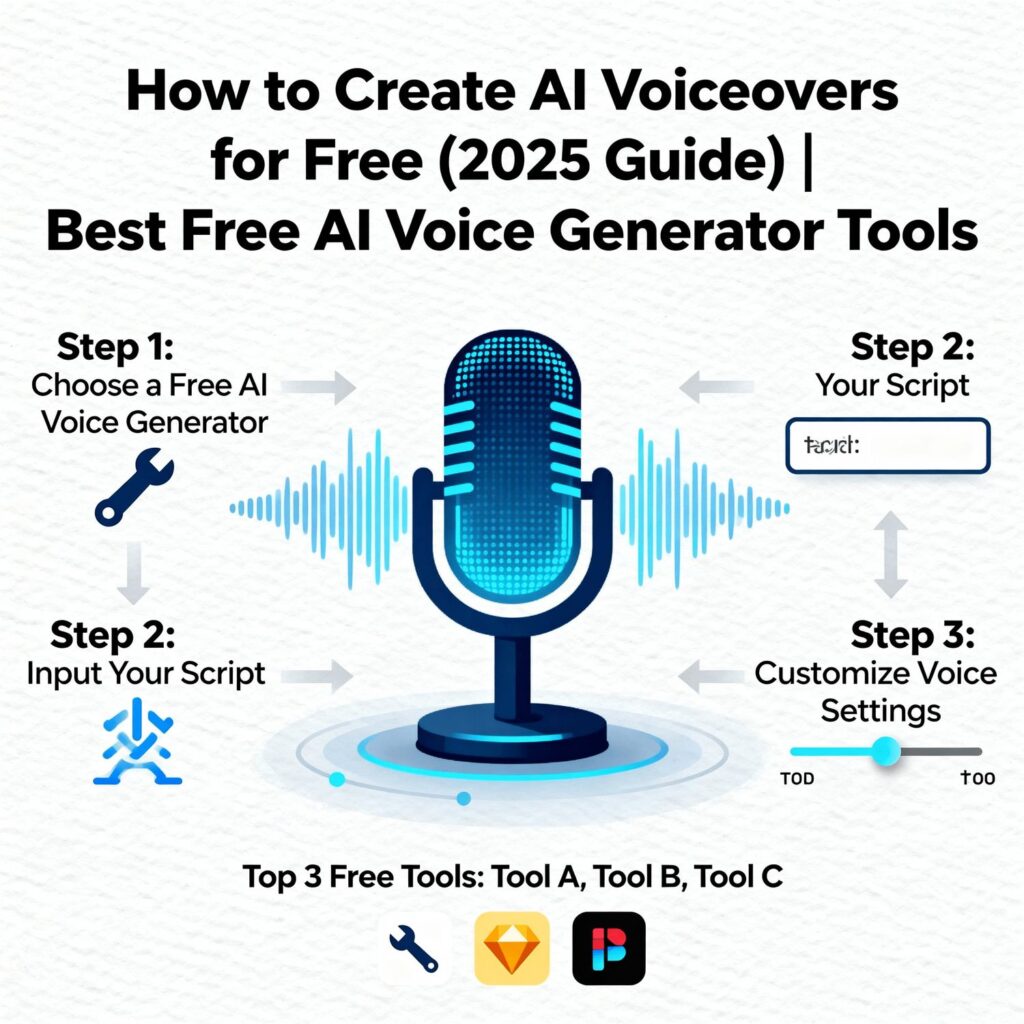
So i am going to share you complete guide, you’ll learn how to create AI voiceovers for free, the best tools, step-by-step tutorials, tips to sound more natural, and how creators use AI to automate content production . 2025 is becoming the year of artificial intelligence there was a lots of features and durablity you can get into this.
Read more : Nothing OS 4.0 Android 16 Update: Release Date, Features & Supported Phones
What Are AI Voiceovers?
In this modernization there are Most of the Tech- platform adapted Ai and doing a lots of business AI voiceovers are synthetic voice narrations generated using artificial intelligence. These tools convert text into natural-sounding speech using deep learning, speech modeling, and neural TTS (Text-to-Speech) technology.
Today’s AI voices are incredibly realistic, offering:
- Natural tone variations
- Different accents
- Gender and age options
- Emotional speaking styles
- Custom speed and pitch
The best part is—many platforms offer free voice generation without watermark.
Why Use AI Voiceovers?
There are lots of features and enhancement i am going to share you how you can get into this and Anyone in 2025 can quickly create free, realistic AI voiceovers for, podcasts, courses, or social media using Google AI Studio, Speechify, ElevenLabs, and similar tools.
- No need for expensive microphones
- No human voice recording required
- Quick, professional audio
- Supports multiple languages and emotions
- Perfect for YouTube, Instagram Reels, TikTok, e-learning, blogs, ads
- Free tools are enough for most creators
So there are lots of athiquets and permanent working abilities so that you can into this So if you want to get good voiceovers you can get into this features.
Read more : Samsung Galaxy S26 Ultra Leaks: Major Design Changes, Camera Upgrades & Early Specs Revealed
1. ElevenLabs (Free Tier Available)
So friends today i am going to share you most 5 Voiceovers so that you can use probably now the first one is ElevenLabs is the most popular AI voice generator known for extremely realistic voices.
Free Features:
- Multiple high-quality voices
- 10,000 free characters per month
- Supports many languages
- Very human-like tone
So now frnds this is best for YouTube videos, audiobooks, narration etc.
2. Google Text-to-Speech (Totally Free)
On the other hand the Google TTS is free, simple, and reliable. and it provide you more than 50 languages in voice over it means the platform is useable to all over the world.
Features:
- 50+ languages
- Clear pronunciation
- No watermark
- Easy interface
So this one platform is also best Tutorials, short videos, educational content and this is totally free all over the world.
3. Meta Voicebox (Open-Source AI)
So friends now Meta Voicebox is the greatest way to get A fast and free AI voice model by Meta.
Features:
- Unlimited free usage
- Can create realistic voices
- Open-source = fully customizable
4. Voice.ai (Free Credits)
Dear readers now we are the last second one in this list to get Voice.ai This AI tool also allows voice changing.
Features:
- Lots of character voices
- Free credit system
- Works like a voice studio
5. TTSFree.com (100% Free)
Now friends the last one is TTSFree.com is A simple free web tool for quick voiceovers.
Features:
- No login
- Multiple AI voices
- Free MP3 download
How to Create AI Voiceovers for Free
So friends now i am going to share you all the things step by step so please read all the points carefully.
- First of all you need to visit elevenlabs.io and than click on Text to Speech.
- On the other hand you have to Choose any voice you like for example : Male / Female , Deep voice , Soft voice and Emotional Voice.
- Now you have to Type or Paste your Script.
- After that you have to adjust voice settings just like Speed , Stability , Clarity and Emotion Level.
- At the end you need to Click on Generate and wait for Two seconds
- At the end you have to preview it and Click Download on MP3. All done.
How to Make Your AI Voiceover Sound More Natural
Now Friends i am going to share you some of the important points how you can get your voice Even if the tool is good, these tips help you level up:
- Keep sentences short
- Add commas for breathing breaks
- Use natural phrases
- Choose an emotional voice style
- Avoid robotic words
- Adjust tone & pitch manually
Read more : OnePlus 15 Launched Globally: Full Specifications, Features, Price & First Impressions (2025)
Where Can You Use AI Voiceovers?
Now friends i am going to share you all the AI voiceovers can be used anywhere:
For YouTube Creators
- Tutorials
- Tech videos
- Education content
- Inspirational voiceovers
For Short Video Creators
- Reels
- TikTok
- Facebook Shorts
For Businesses
- Product demos
- Audio ads
- IVR voice
For Students
- Projects
- Presentations
- E-learning
AI voiceover tools are versatile and universal.
Top Benefits of Free AI Voiceovers
Now friends after using this voiceovers you can get the top benefits of free Ai voiceovers :
- Save time
- Save money
- No background noise
- Easy editing
- Unlimited retakes
- Supports multiple languages
You can literally generate a full YouTube narration in under 2 minutes.
Read more : Google Gemini 3.2 Update – New AI Chat Features Explained
How to Create AI Voiceovers for Free – FAQs
Can I create AI voiceovers for free?
Yes! Many tools like Google TTS, TTSFree, and free versions of ElevenLabs allow free voice generation.
Are AI voiceovers legal?
Yes, AI voices are legal as long as you don’t use them for impersonation or illegal activities.
Which is the most realistic free AI voice generator?
ElevenLabs offers the most realistic voices even in the free plan.
Can I use AI voiceovers for YouTube videos?
Absolutely! Thousands of creators use AI voices for YouTube, and monetization is fully allowed.
Is there any free AI voiceover without watermark?
Yes, tools like Google TTS, TTSFree, and many others provide watermark-free downloads.
What languages do AI voice tools support?
Most tools support more than 50 languages including English, Hindi, Spanish, German, French, Tamil, and more.
Read more : Top 10 Best Budget Smartphones Under $300 in 2025 – Performance Meets Affordability
Conclusion :
In this article, we have shared complete information with you related to [How to Create AI Voiceovers for Free (2025 Guide) | Best Free AI Voice Generator Tools ].The purpose of this website run by the Enterprises is not only to provide benefits but also to improve the standard of living of the Peoples.
At TechVirus, we aim to bring you the latest and most reliable updates from the world of technology. Stay connected with TechVirus for daily tech news, unbiased reviews, and real-world insights that matter.
Visit regularly to get the latest updates, eligibility criteria, application process, and accurate information about other government schemes – Techvirus.net