
Hello Dear readers welcome to Techvirus today we are going to discuss about 7 Best Video Cutter Apps for Android (2025) – Fast, Free & Easy Editing Tools . Most of the people are doing freelancing and making YouTube videos or any other work as well people are literally confusing so we are going to discuss seven most best video cutter apps.
Discover the 7 best video cutter apps for Android in 2025. Trim, split, merge, and edit videos easily using fast, free, and user-friendly tools. If you also feel tired to find the best video cutter app so today article is very important for us so be with us till the end of the article . I assure to you when you reach the end of this article you choose your best app wisely.
Read more : How to Clear Autofill in Chrome (2025 Full Guide) – Passwords, Addresses & Search Data
7 Best Video Cutter Apps for Android (2025) – Fast, Free & Easy Editing Tools
Now Friends the apps we are providing are useable only on android and this will make a good Editing videos on mobile has become extremely easy thanks to powerful apps available on Android. Whether you want to trim a video, cut unnecessary parts, split a clip, or prepare content for YouTube, Instagram Reels, or TikTok, a good video cutter app is essential.

Friends i assure you all the things have advantages and disadvantages so i am going to complete information providing to you so you can easily choose the app To help you choose the right tool, here are the 7 best video cutter apps for Android in 2025, tested for performance, features, and ease of use.
1. InShot – Best Overall Video Cutter App
So friends now let’s start the discussion number one app is Inshot this is very popular and in google play store is has more than 500 million download so InShot is one of the most popular video editing apps on Android. Its video-cutting tool is extremely smooth and ideal for both beginners and advanced users. This App is freely available on Google Play store.

Key Features
- In this Instant video trimming and cutting
- Split and merge clips
- Add music, effects & transitions
- Export in 720p, 1080p & 4K
- Perfect for Reels, Shorts & TikTok
Pros
- User-friendly
- Wide range of editing tools
- High-quality exports
Cons
-
Watermark in free version (removable with ads)
Availability
Google Play Store – Free with premium options.
Read more : 4 Best Ways to Change Account Type on Windows 11 (Administrator & Standard Account Guide)
2. CapCut – Best for Professional-Level Results (Free)
This is second app which you can use CapCut, developed by ByteDance, is widely used by content creators for fast and creative editing. Transform your video editing experience with CapCut Template Finder! Browse through thousands of trending video templates and create professional-quality videos in minutes. This App is freely available on Google Play store.

Key Features
- Precise video cutting
- Auto captions
- Slow-mo & speed controls
- AI templates for trending edits
- High-quality transitions
Pros
- Completely free
- No watermark
- Perfect for social media creators
Cons
- Requires good device performance to run heavy effects
3. VN Video Editor – Best for Clean, Professional Editing
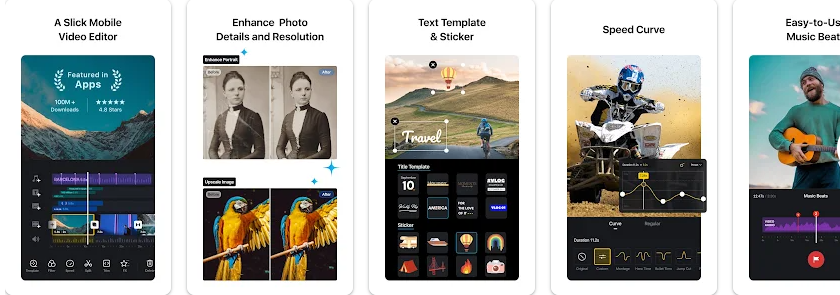
VN is known for its powerful but easy editing workflow. It is one of the best apps for trimming long videos. This is one of the best video editor app also by using this app you can easily edit and enhanced your videos. This App is completely free on google play store and it is easy to download.
Key Features
- Precise trim, cut & split options
- Multi-layer timeline
- Supports 4K video
- Easy to navigate UI
- Readymade templates
Pros
- By using this app there is No watermark in your video and look professionally.
- Ideal for YouTube & cinematic edits
Cons
-
Some features require learning
Read more : 4 Best Ways to Change Your Computer Name in Windows (2025 Guide)
4. YouCut – Best for Fast & Lightweight Editing
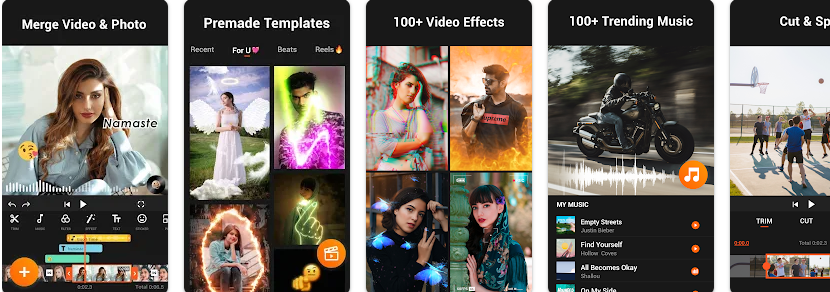
YouCut by InShot Inc. is great for users who want lightweight performance with fast video cutting. After using this app you may realise that this is one of the best video cutting app and it may vary to get more useable things at all the time.
Key Features
- Quick trim, cut & split
- Compress videos without losing quality
- Merge multiple clips
- Add filters and backgrounds
Pros
- There is No watermark in your edited video and you can easily optimise according to your enhancement.
- Lightweight & smooth
Cons
-
Limited advanced editing features
Read more : Samsung Galaxy Z TriFold: US Release Date, Price & Full Specifications (2025)
5. KineMaster – Best for Multi-Layer Editing
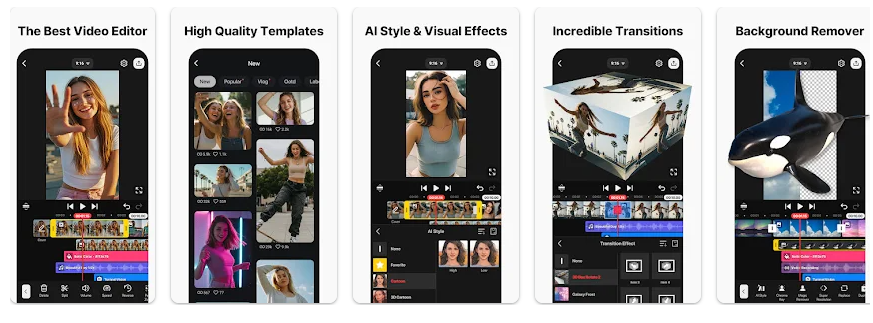
KineMaster is a powerful mobile editing app known for its professional-grade tools and we all know that kinemaster is very popular and good app so here is the last third number app in our list.
Key Features
- Advanced trim & split tools
- Multi-layer editing
- Precise playback speed control
- Chroma key (green screen)
- High-quality transitions
Pros
- Perfect for YouTubers
- Many advanced features
Cons
- Watermark in free version
- Subscription required for full access
6. FilmoraGo – Best for Creative Effects
Finally guys we are at the last second one app here is FilmoraGo is designed for users who want beautiful effects and smooth cutting tools this app played a very important role and totally user friendly app.

Key Features
- Fast trimming & cutting
- Hollywood-style effects
- Templates for reels/shorts
- Royalty-free music
Pros
- Beginner-friendly
- Smooth interface
Cons
- Some effects are paid
- Watermark in free version
7. VidTrim – Best Simple Video Cutter
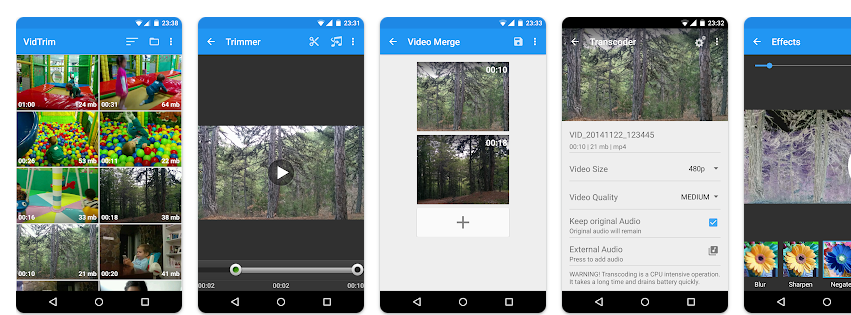
VidTrim is a lightweight app designed specifically for trimming videos quickly without advanced effects This is one of the best and totally devasting app.
Key Features
- Simple trim & cut
- Frame-by-frame preview
- Convert videos to MP3
- Compress videos
Pros
- Clean UI
- Perfect for basic cuts
Cons
- Not suitable for advanced editing
Read more : Apple Siri 2.0: Next-Gen AI Features, Upgrades, and Expected Release Date
7 Best Video Cutter Apps for Android (2025)- FAQs
Are these video cutter apps free to use?
Most apps like CapCut, YouCut, VN, and Quik are free with optional premium upgrades. Apps like PowerDirector and Filmora offer free versions but may include watermarks on some exports unless you upgrade.
Do video cutter apps reduce video quality?
Not always. Most apps allow you to export videos in Full HD or 4K, but the quality depends on the app settings and your device’s capabilities.
Which video cutter app is best for beginners?
YouCut, CapCut, and Quik are beginner-friendly with intuitive interfaces and simple trimming tools.
Which app is best for professional editing on Android?
VN Video Editor and PowerDirector are ideal for professional editing. They offer multi-layer timelines, advanced transitions, animations, keyframes, and green screen features.
Can I cut or trim videos without a watermark?
Yes. YouCut and CapCut usually export videos without watermarks in their free versions. VN also exports watermark-free videos.
Read more : Top 10 Best Budget Smartphones Under $300 in 2025 – Performance Meets Affordability
Conclusion :
In this article, we have shared complete information with you related to [7 Best Video Cutter Apps for Android (2025) – Fast, Free & Easy Editing Tools ].The purpose of this website run by the Enterprises is not only to provide benefits but also to improve the standard of living of the Peoples.
At TechVirus, we aim to bring you the latest and most reliable updates from the world of technology. Stay connected with TechVirus for daily tech news, unbiased reviews, and real-world insights that matter.
Visit regularly to get the latest updates, eligibility criteria, application process, and accurate information about other government schemes – Techvirus.net